Pick a model. Everything else happens automatically.
localcode combines the model server and coding agent in one command. It checks what your Mac can run. It starts the server for you. Then it uses a loop designed for local weights to read and edit files and run your repo's own checks.
01
A suite of local models
Choose from Qwen, Gemma, DeepSeek, Cohere, Meta, Aleph Alpha and more.
The suite runs from a 12B dense model for 16 GB Macs to DeepSeek V4 Flash
(284B MoE) for 128 GB Macs, with every quant each repository ships.
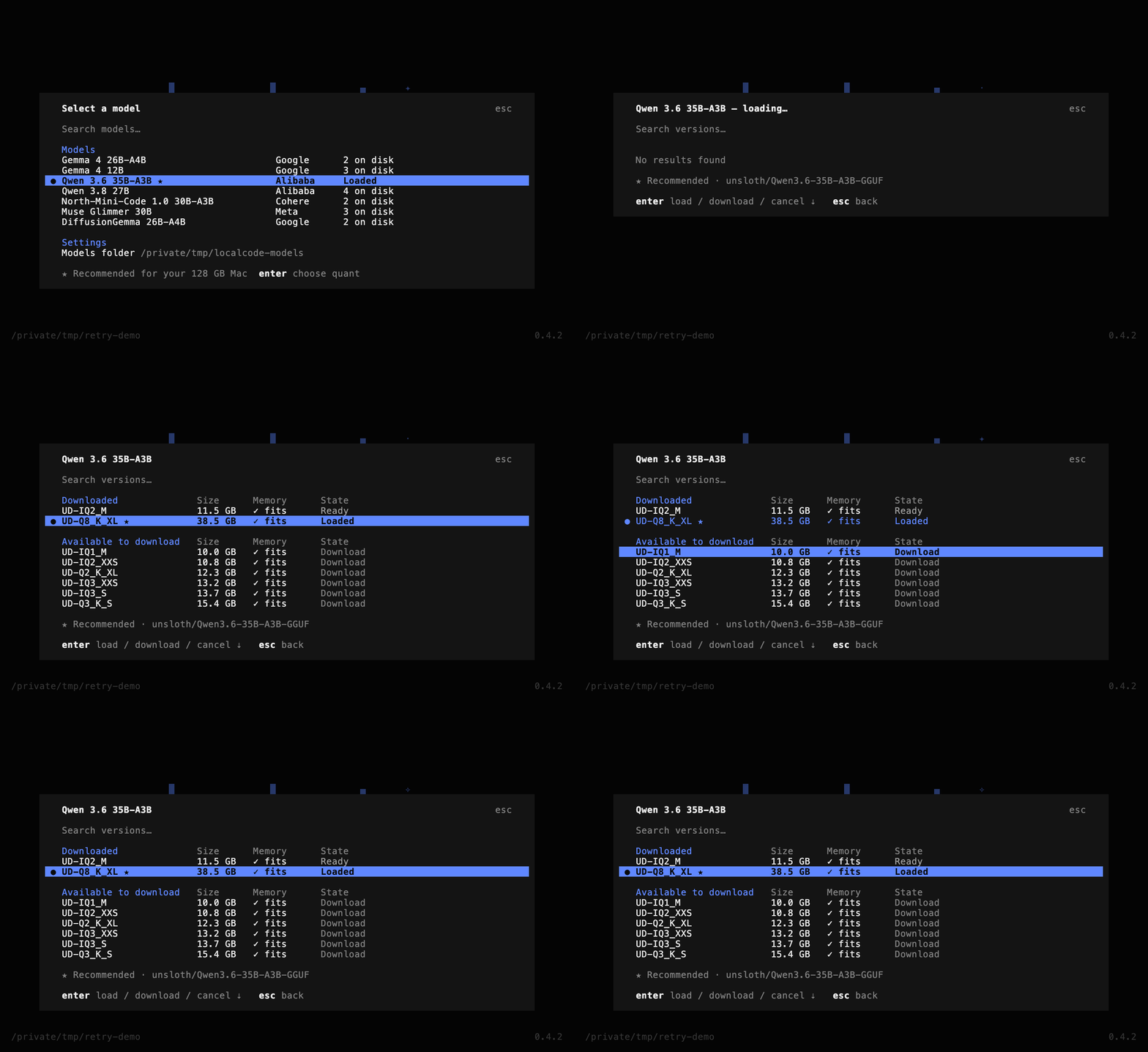
localcode checks your Mac's unified memory, shows every model that fits,
and recommends the most capable one. Switch at any time with /models.
Pick a quant in the picker and localcode downloads it, then starts
llama-server on 127.0.0.1. It sets the context and KV cache sizes for your
machine and shuts the server down when you finish. You do not need to
configure anything.
localcode is built specifically for local models. The runtime, its
completion discipline, and the model server are tuned to get the best
performance out of small models on your Mac, with no API key, account, or
bill.
Install localcode. Open a repo. Pick a model. Ask it to do one thing.
1 Install and open your repo
pip install -U localcode
cd ~/work/some-project
localcode
2 Choose a model
The picker opens when you send your first message. The star shows the largest model your Mac can run comfortably. Press Enter, pick a quant, and see its size before anything downloads.
3 Start building
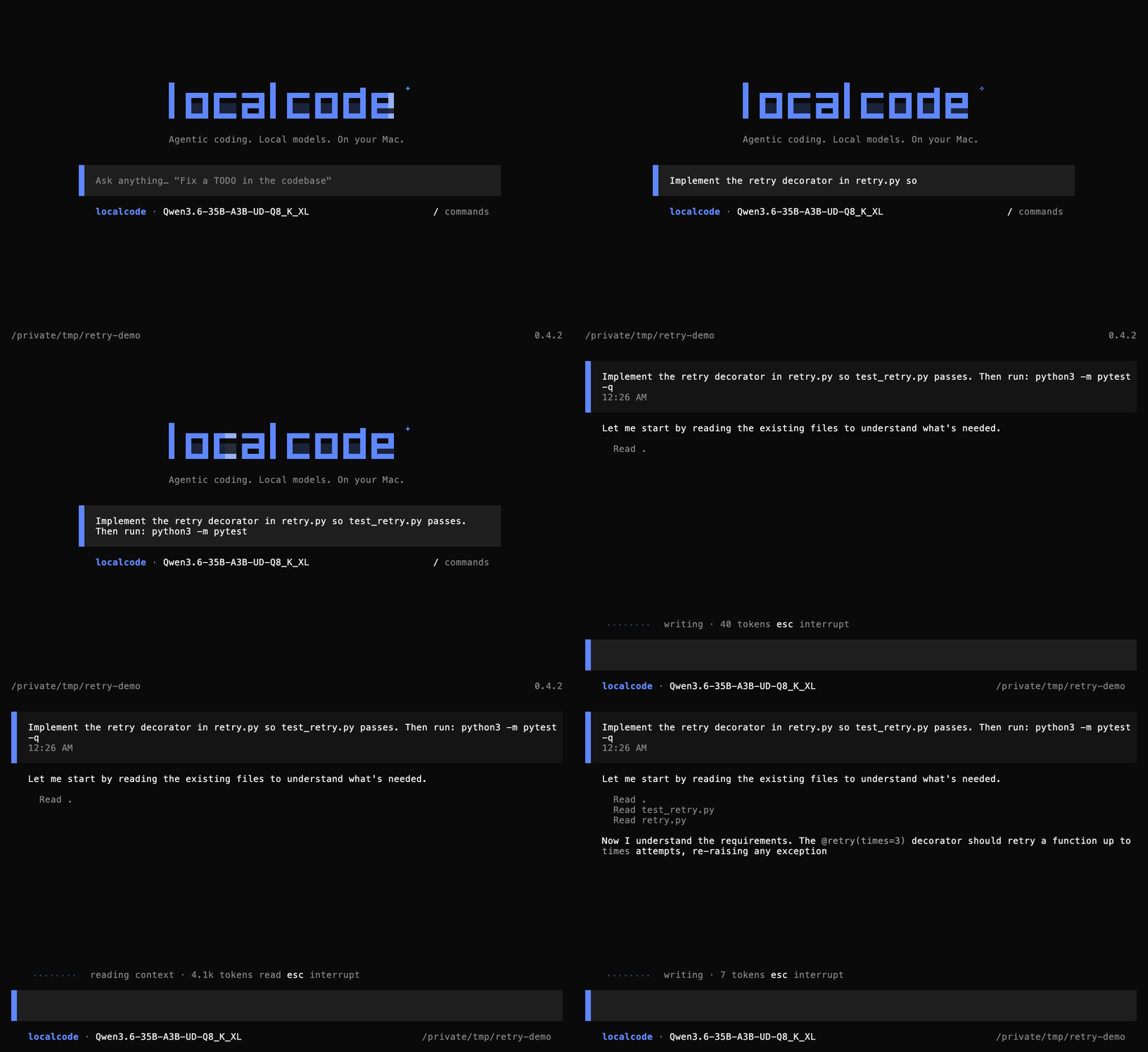
Name the file. Then name the check that proves the change worked.
Unified memory sets the limit. Pick your Mac to see the full list of models that fit. localcode recommends the most capable one and marks it with a star. You choose, and you can switch to any other model on the list.
1 model fits in 10.7 GB: the GPU memory macOS allows on a 16 GB Mac (67%), which also holds the context
RFlint 40B-A2.5B40B total MoE, top-6 of 256 experts + 1 sharedParameters40BActive2.5B active (40B total MoE, top-6 of 256 experts + 1 shared)TypeMoEQuantQ4Weights25.1 GB
Gemma 4 26B-A4Btop-8 of 128 expertsParameters26BActive3.8B (top-8 of 128 experts)TypeMoEQuantQ8Weights28 GB
RFlint 40B-A2.5B40B total MoE, top-6 of 256 experts + 1 sharedParameters40BActive2.5B active (40B total MoE, top-6 of 256 experts + 1 shared)TypeMoEQuantQ4Weights25.1 GB
Gemma 4 26B-A4Btop-8 of 128 expertsParameters26BActive3.8B (top-8 of 128 experts)TypeMoEQuantQ8Weights28 GB
Qwen 3.6 35B-A3Btop-8 + 1 shared of 256 expertsParameters35BActive3.0B (top-8 + 1 shared of 256 experts)TypeMoEQuantQ8Weights38.5 GB
RFlint 40B-A2.5B40B total MoE, top-6 of 256 experts + 1 sharedParameters40BActive2.5B active (40B total MoE, top-6 of 256 experts + 1 shared)TypeMoEQuantQ8Weights42.3 GB
AKolibri 1 78B-A3B78B total MoEParameters78BActive3.5B active (78B total MoE)TypeMoEQuantQ4Weights47.5 GB
19 models fit in 107.5 GB: the GPU memory macOS allows on a 128 GB Mac (84%), which also holds the context
RFlint 40B-A2.5B40B total MoE, top-6 of 256 experts + 1 sharedParameters40BActive2.5B active (40B total MoE, top-6 of 256 experts + 1 shared)TypeMoEQuantQ4Weights25.1 GB
Gemma 4 26B-A4Btop-8 of 128 expertsParameters26BActive3.8B (top-8 of 128 experts)TypeMoEQuantQ8Weights28 GB
Qwen 3.6 35B-A3Btop-8 + 1 shared of 256 expertsParameters35BActive3.0B (top-8 + 1 shared of 256 experts)TypeMoEQuantQ8Weights38.5 GB
RFlint 40B-A2.5B40B total MoE, top-6 of 256 experts + 1 sharedParameters40BActive2.5B active (40B total MoE, top-6 of 256 experts + 1 shared)TypeMoEQuantQ8Weights42.3 GB
AKolibri 1 78B-A3B78B total MoEParameters78BActive3.5B active (78B total MoE)TypeMoEQuantQ4Weights47.5 GB
DDeepSeek V4 Flash 284B-A13B284B total MoE, top-6 of 256 experts + 1 sharedParameters284BActive13B active (284B total MoE, top-6 of 256 experts + 1 shared)TypeMoEQuantQ2Weights96.8 GB
These are the models that fit each memory size. You choose: the model picker in localcode reads your Mac's actual memory and marks what fits, and /models switches at any time.