Install
pip install -U localcode| Machine | Mac with Apple Silicon |
| macOS | 13 or newer |
| Unified memory | At least 16 GB |
| Python | 3.10 or newer |
| Disk | Space for one model - the smallest recommended GGUF is about 7.4 GB |
The wheel is built for macosx_13_0_arm64 and ships two binaries: llama-server for inference and localcode-ui for the interface. Nothing else needs to be installed.
Older Macs are not supported. If launch fails with a dyld “Library not loaded” error, the Mac is below the minimum macOS. See Error Codes.
Open your repo
Section titled “Open your repo”cd ~/work/some-projectlocalcodeChoose a project with a runnable test suite. localcode uses your repo’s own checks as proof.
localcode opens the prompt.
Choose a model
Section titled “Choose a model”With no model loaded, the model picker opens when you send your first message, or when you type /models. The first level lists every model in the catalog with its maker, how many of its quants are already on disk, and a star on the model recommended for your Mac’s unified memory. Press Enter on a model to see every quant its Hugging Face repo ships, with the size in GB and whether it fits in memory. Enter on a row marked Download starts the download and shows a live percentage. Nothing downloads until you choose it and see its size.
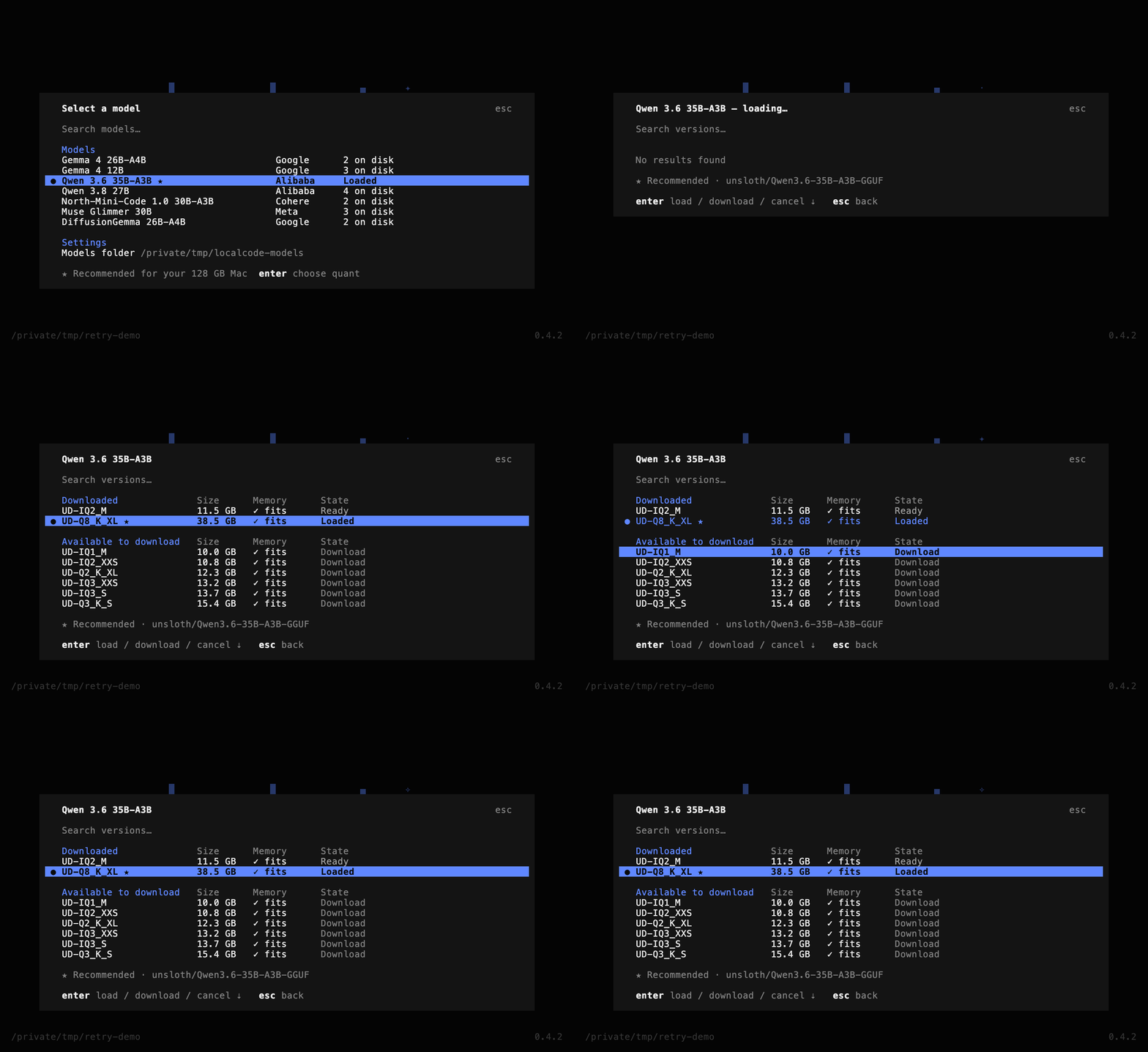
When the download finishes, the included llama-server loads the model on a localhost port and the interface connects to it. Type /models at any time to open the picker again. Esc goes back one level.
Learn more in Models.
Start building
Section titled “Start building”Enter your request in the prompt. Include the file name and the check to run.
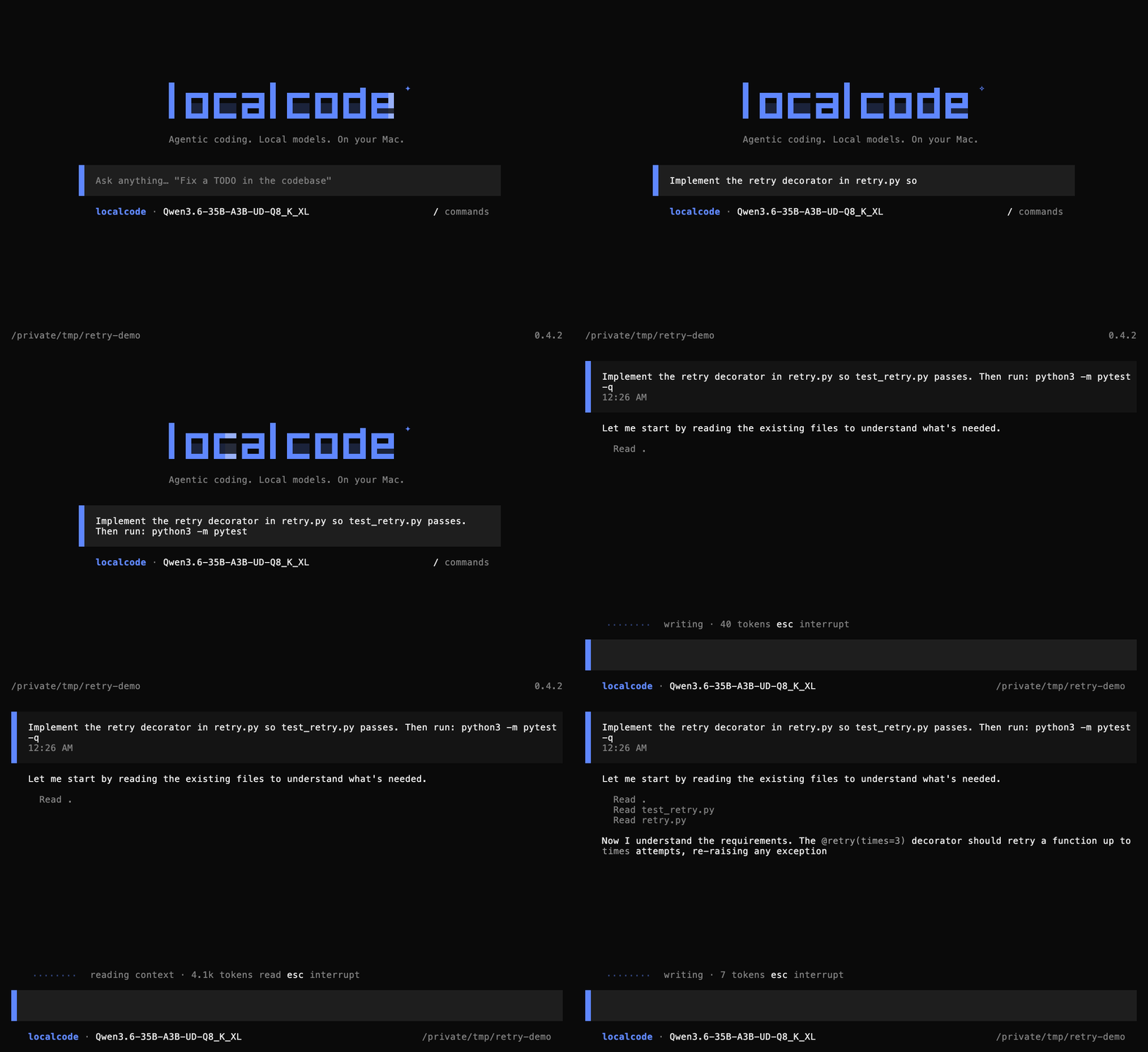
> Implement the retry decorator in retry.py so test_retry.py passes. Then run: python3 -m pytest -qWatch it verify
Section titled “Watch it verify”The model reads the stub and test. It writes the code, runs python3 -m pytest -q, and reports what it checked. Depending on your permissions settings, the first file edit and shell command may ask for approval. See Permissions.
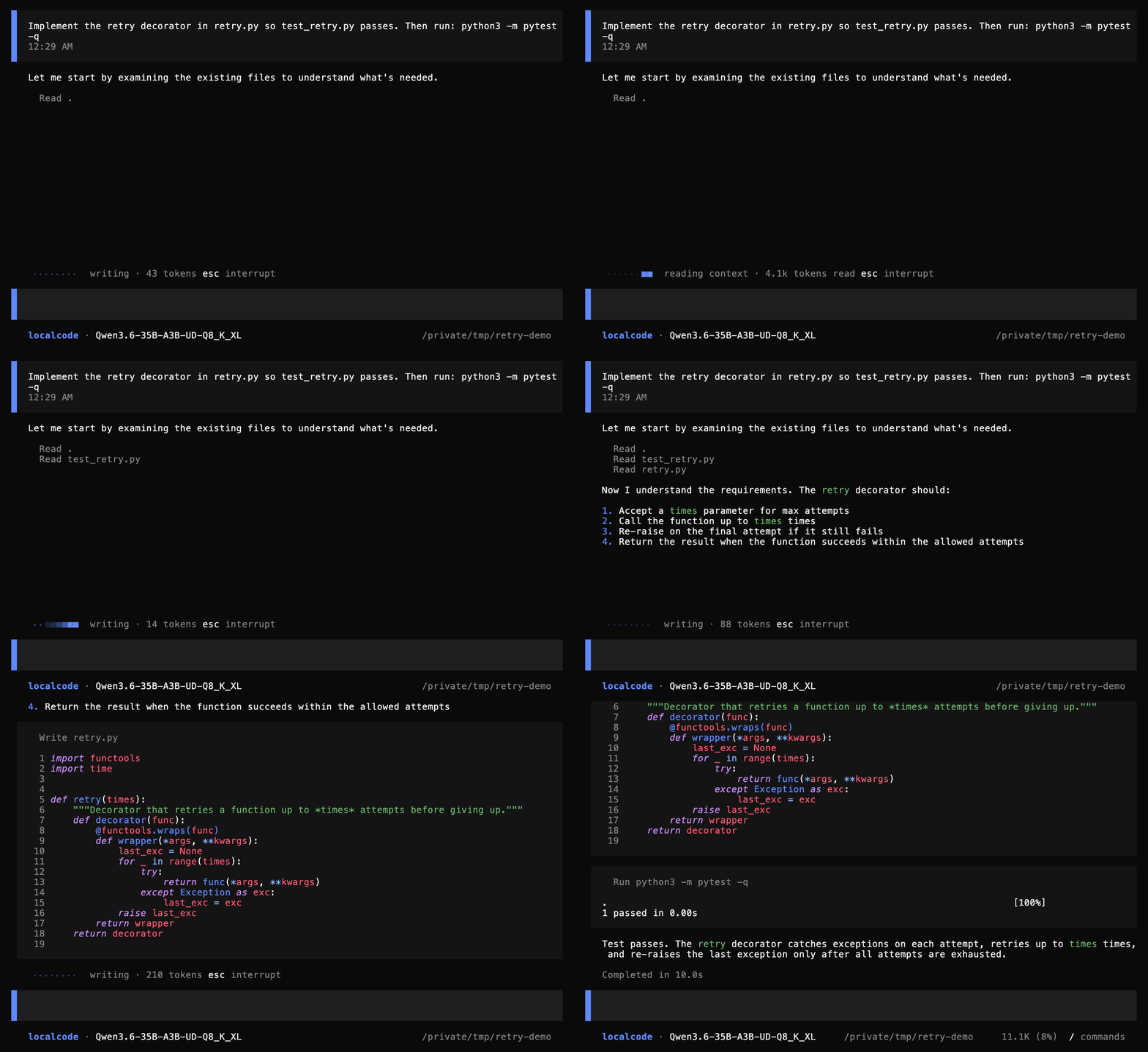
Qwen3.6-35B-A3B (Q8_K_XL) runs locally. The scratch project’s test fails before the turn and passes after it.
Key commands
Section titled “Key commands”| Command | What it does |
|---|---|
/models |
Opens the model picker to download or switch models |
/status |
Shows the server, the current model, and the session |
/permissions |
Turns auto-approve on or off for the few actions that ask |
/new |
Starts a new session |
/sessions |
Switches to an earlier session |
/undo |
Undoes the previous message and its edits |
/help |
Lists every command and key |
/exit |
Quits |
Type / to open the command palette. Start a line with ! to run a shell command yourself. See the full list: Slash Commands.
- Models - find the best model that fits on your Mac.
- Network Boundary - learn what leaves your machine and when.